Step 06: Web Tools
Your Agent wants to see the bigger world. At the root, they are just two new tools.
Prerequisites
cp default_workspace/config.example.yaml default_workspace/config.user.yaml
# Edit config.user.yaml to add your API key
# Uncomment websearch and webread sections
# Add your websearch api key
What We Will Build
An LLM may know how to write Python, but it cannot know the latest trends in the Python ecosystem. This opens up the world beyond the local file system and the LLM's training data.
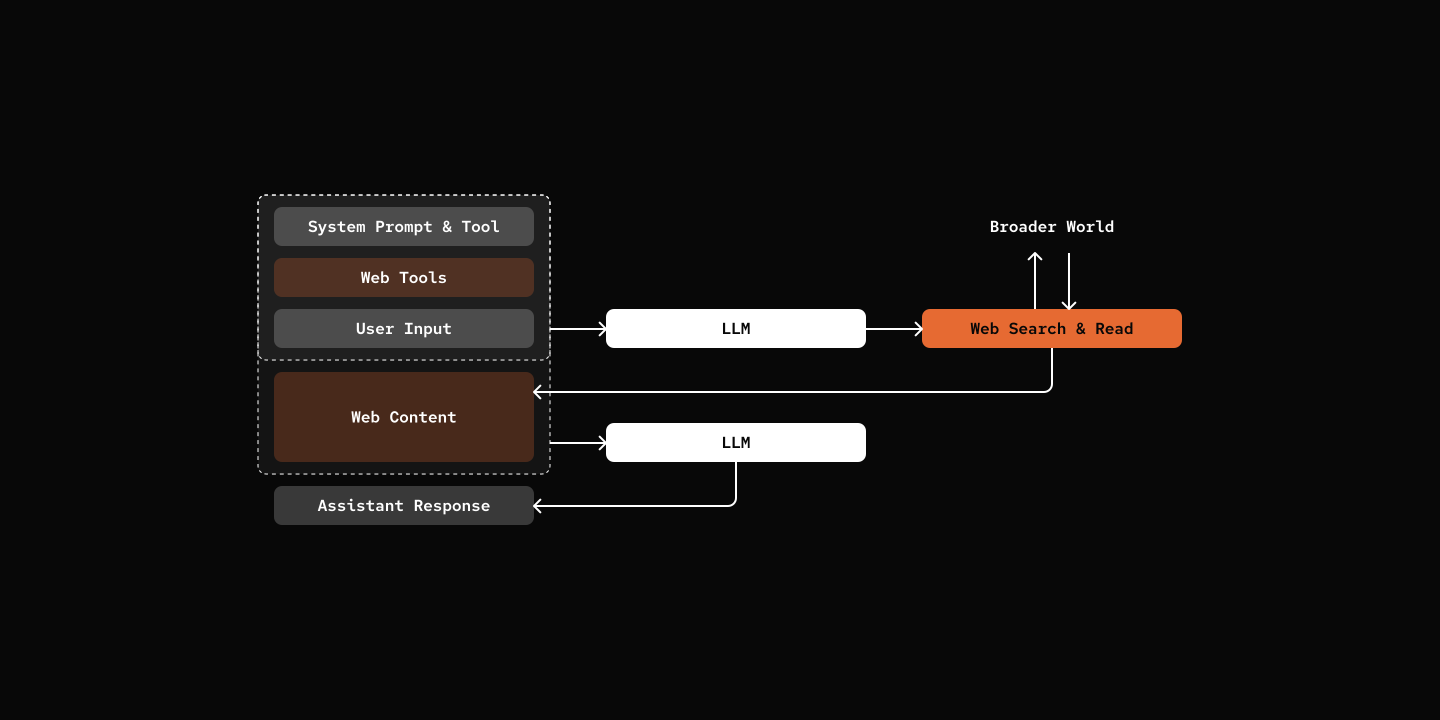
Key Components
- WebSearchProvider: Web search providers.
- WebReadProvider: Web reading providers.
- Tools:
websearchandwebreadtools.
src/mybot/provider/web_search/
class WebSearchProvider(ABC):
async def search(self, query: str) -> list[SearchResult]: ...class WebReadProvider(ABC):
async def read(self, url: str) -> ReadResult: ...src/mybot/tools/websearch_tool.py
@tool(...)
async def websearch(query: str, session: "AgentSession") -> str:
    results = await provider.search(query)

    if not results:
        return "No results found."
    output = []
    for i, r in enumerate(results, 1):
        output.append(f"{i}. **{r.title}**\n   {r.url}\n   {r.snippet}")
    return "\n\n".join(output)
src/mybot/tools/webread_tool.py
@tool(...)
async def webread(url: str, session: "AgentSession") -> str:
    result = await provider.read(url)
    if result.error:
        return f"Error reading {url}: {result.error}"

    return f"**{result.title}**\n\n{result.content}"
Try it out
cd 06-web-tools
uv run my-bot chat

# You: What is pickle bot? search online please.
# pickle: Based on my search, there are actually a few different things called "Pickle Bot":

# ### 1. **Pickle Robot Company** 🤖
# ### 2. **Pickle Bot (Discord Bot)** 💬
# ### 3. **pickle-bot (GitHub)** 🐱
# An open-source project described as:
# - "Your own AI assistant, speak like a cat"
# - "Pickle is a standard little cat"
# - A customizable AI assistant that you can name, talk to, and teach

# The GitHub version sounds like it could be related to me - a cat-speaking AI assistant! 😺

# Which one were you curious about?
What's Next
Step 07: Event-Driven - The great refactor to event-based architecture