Step 12: Cron + Heartbeat
An Agent work while you are sleeping.
Prerequisites
Same as Step 09 - copy the config file and add your API key:
cp default_workspace/config.example.yaml default_workspace/config.user.yaml
# Edit config.user.yaml to add your API key
What We Will Build
Scheduled tasks—the agent can run jobs on a cron schedule.
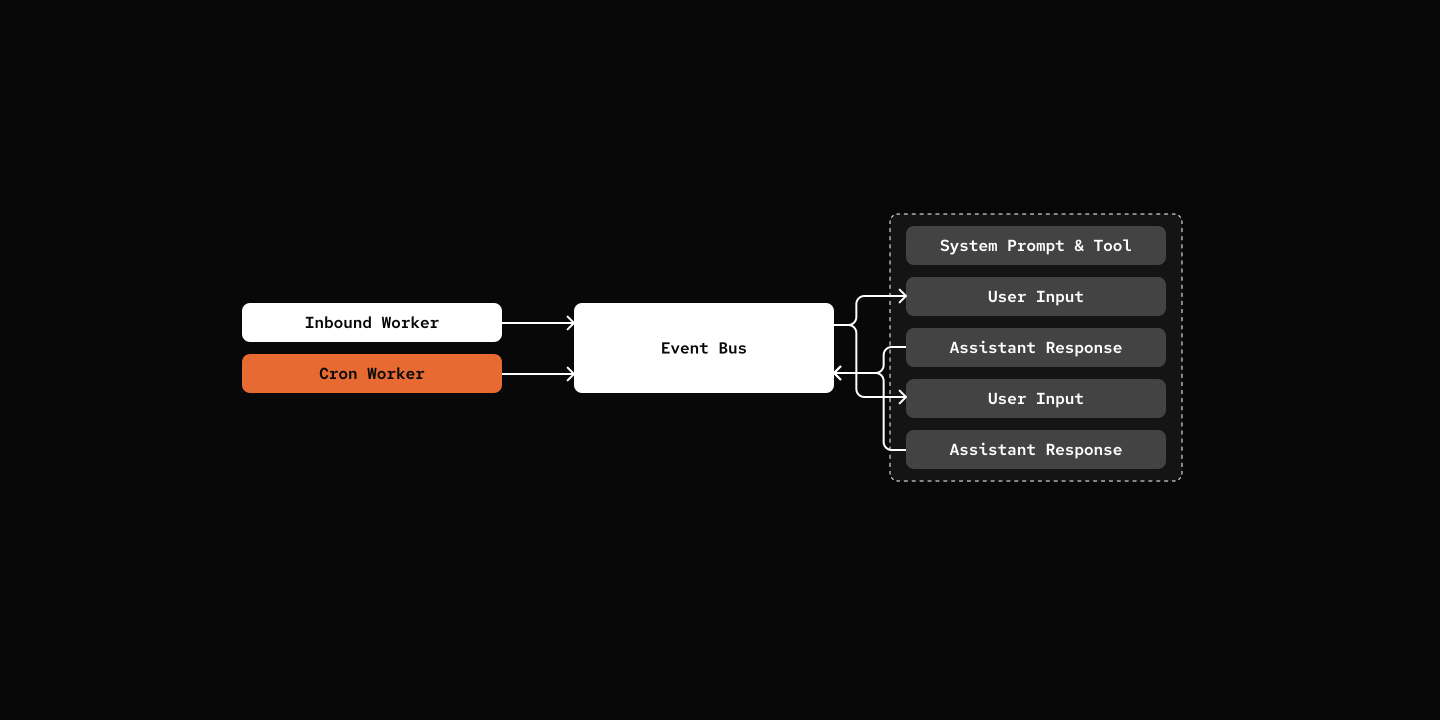
Key Components
- CRON.md & CronDef - Cron Job Definition
- CronWorker - Background worker that checks every minute for due jobs
- DispatchEvent - Event type for internal message dispatch
- DispatchResultEvent - Result event returned from dispatched jobs
- Cron-Ops Skill - Skill for creating, listing, and deleting scheduled cron jobs (implemented as a skill to avoid extra tool registry)
class CronDef(BaseModel):
    id: str
    name: str
    description: str
    agent: str
    schedule: str
    prompt: str
    one_off: bool = False
src/mybot/server/cron_worker.py
class CronWorker(Worker):
    async def run(self) -> None:
        while True:
            await self._tick()
            await asyncio.sleep(60)

    async def _tick(self) -> None:
        jobs = self.context.cron_loader.discover_crons()
        due_jobs = find_due_jobs(jobs)

        for cron_def in due_jobs:
            event = DispatchEvent(
                session_id=session.session_id,
                source=CronEventSource(cron_id=cron_def.id),
                content=cron_def.prompt,
            )
            await self.context.eventbus.publish(event)
default_workspace/crons/hello-world/CRON.md
The Cron Operation functionality is implemented using the SKILL system rather than registering dedicated tools which avoids bloating the tool registry.
Try it out
cd 12-cron-heartbeat
uv run my-bot server

# From Channel of your choice:

# You: Send me some Cat Meme every morning.
# pickle: I've scheduled a "Cat Meme" cron job you every morning 9 AM. You'll find those meme shortly! *purrs* 🐱
Notes
Openclaw has a HEARTBEAT mechanism apart from CRON system.
- Can only have one HEARTBEAT, and heartbeats runs in main session at a regular interval without checking time.
- Can have multiple CRON, they run in background with respect to cron expressions.
What's Next
Step 13: Multi-Layer Prompts - Responsive system prompt.